CheckMyEmail by TrackMy.Email
Never miss an important email.
See new Gmail at a glance, get a desktop alert the moment it arrives, and open it in one click.
 Add to Chrome — it’s free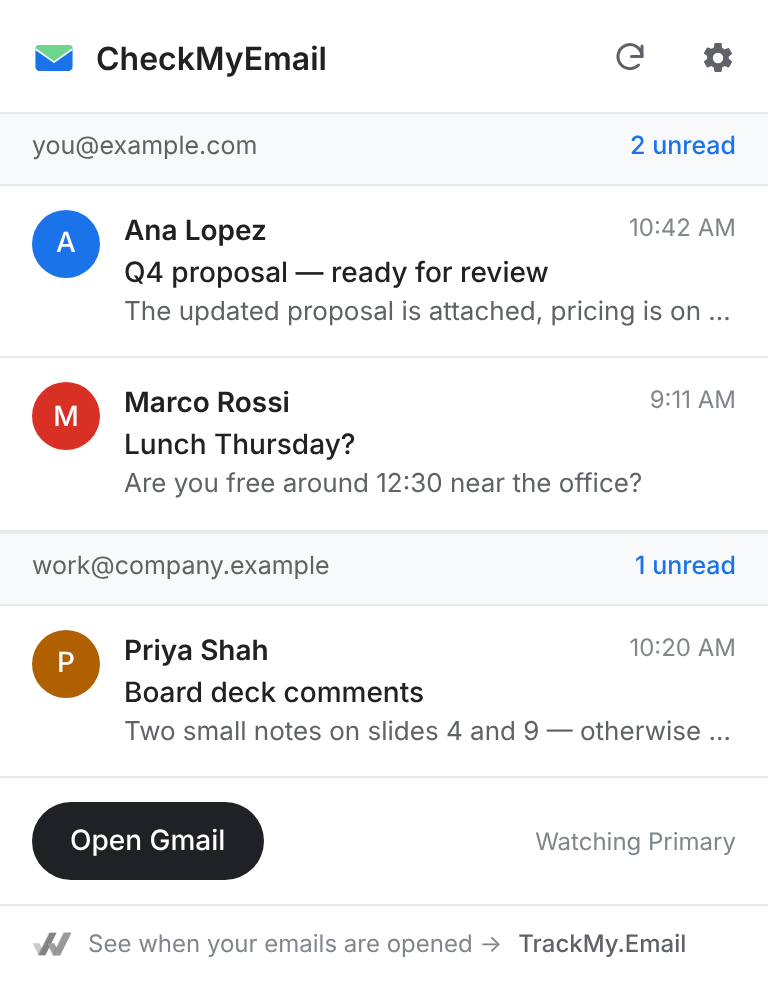
Everything you need to stay on top of Gmail
Small, fast, and out of your way until something arrives.
Unread count on your toolbar
Know how much is waiting without opening a tab — for every Gmail account in this browser.
Instant desktop alerts
Sender, subject and a short preview the moment new mail lands. Primary inbox by default — no promotions noise.
Your inbox in one click
A clean list of what’s new. Click any email to open it in Gmail.
Copy sign-in codes
Verification codes get a “Copy code” button, found right on your computer.
Private by design
Your emails stay in your browser. Nothing is copied to our servers and images are never loaded.
Quiet hours (Pro)
No pop-ups on a schedule — shared with TrackMy.Email, so both stay quiet together.
Pricing
Free forever. Pro is included in your TrackMy.Email plan.
Free
- Unread count on your toolbar
- Desktop alerts for every Gmail account
- Quick inbox and Copy code
Pro Includes TrackMy.Email
- Everything in Free
- Quiet hours, synced with TrackMy.Email
- TrackMy.Email Pro — see when your emails are opened
Teams ($9.99 /user/mo billed yearly) includes CheckMyEmail for the whole team. Compare plans →
Questions & answers
Everything you need to know before you start.
Is CheckMyEmail free?+
Yes. The unread count, desktop alerts and the quick inbox are free, with no account. Pro adds quiet hours and comes with your TrackMy.Email plan.
Does it read my emails or send them anywhere?+
It checks Gmail from your browser with the Gmail sign-in you already have — like keeping Gmail open in a tab. It shows the sender, subject and Gmail’s short snippet. Nothing is copied to our servers, and images in emails are never loaded, so nobody’s open tracking fires when you glance.
Do I need TrackMy.Email?+
No. CheckMyEmail works on its own. If you upgrade, one plan covers both — TrackMy.Email shows you when your own emails are opened.
Which accounts does it work with?+
Every Gmail and Google Workspace account signed in to this browser. You can switch any of them off in settings.
Can I cancel Pro at any time?+
Yes. Pro features stay on until the end of the period you paid for.