 CheckMyEmail by TrackMy.Email
Gmail Notifier for Chrome
CheckMyEmail is a free Gmail notifier: the unread count on your Chrome toolbar and a desktop alert the moment new mail lands — for every Gmail account you’re signed in to. Your emails never leave your browser.
 Add to Chrome — it’s free
A Gmail notifier Chrome extension that stays out of your way
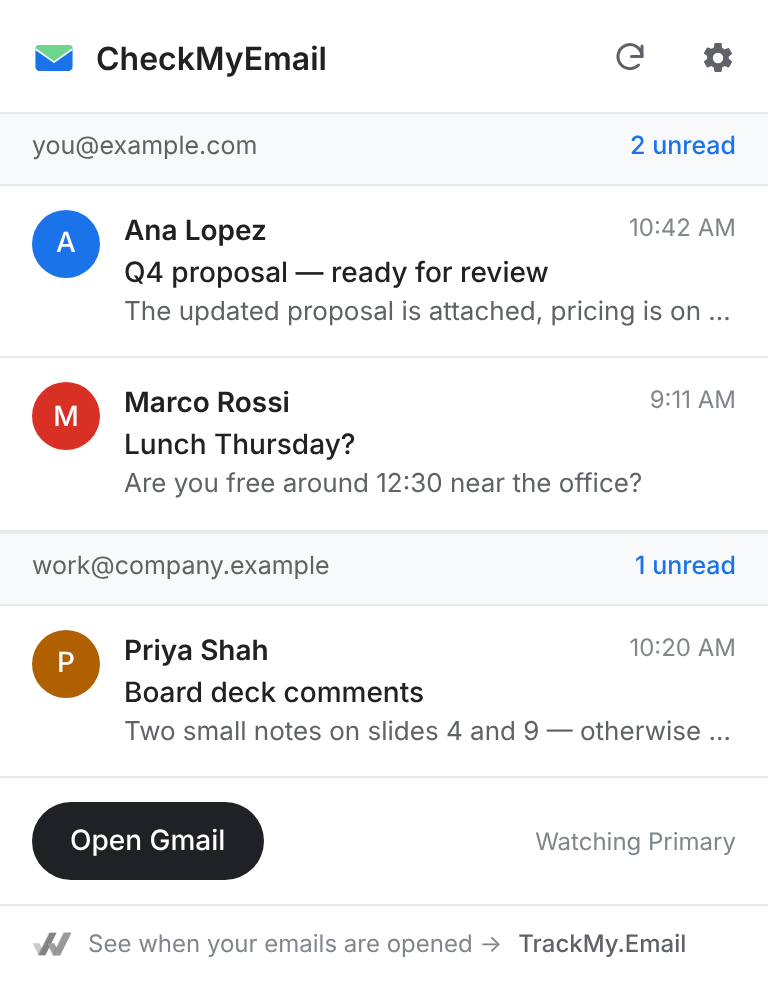
The count on the toolbar icon tells you how much is waiting without opening a tab. Click it for a short list of what’s new; click any email to open it in Gmail.
- Checks every 30 seconds
- Primary inbox by default — no promotions noise
- Updates, Social, Promotions and Important are one switch away
Gmail desktop notifications on Windows 11 and Mac
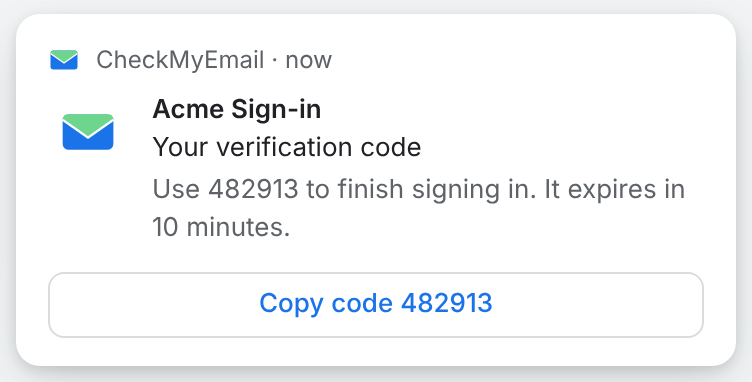
New mail shows as a desktop alert with the sender, subject and Gmail’s snippet. Alerts use Chrome’s notifications, so they appear in the Windows 11 notification centre and in macOS Notification Centre.
- One-time codes get a “Copy code” button
- Silent while Gmail is already open in a tab, or while you’re in fullscreen
- Quiet hours on a schedule with Pro
Every Gmail account in one notifier
Signed in to a work and a personal account? CheckMyEmail finds every Gmail and Google Workspace account in this browser and shows each one separately — free, with no account to create.
Private: your emails never leave your browser
CheckMyEmail reads Gmail the way an open Gmail tab does, from your own browser. Nothing is copied to our servers, and images inside emails are never loaded — so glancing at your inbox never sets off anyone’s open tracking.
Gmail notifier questions
Is this Gmail notifier free?+
Yes. The unread count, desktop alerts and quick inbox are free with no account. Pro adds quiet hours and is included in your TrackMy.Email plan.
Does the Gmail notifier work with more than one account?+
Yes. Every Gmail and Google Workspace account signed in to Chrome is checked, each with its own count and alerts. Switch any account off in settings.
Do the notifications work on Windows 11 and Mac?+
Yes. Alerts appear as Chrome notifications, so they show up in the Windows 11 notification centre and in macOS Notification Centre. Chrome needs to be running.
Does it read my emails or send them anywhere?+
It checks Gmail from your browser with the sign-in you already have. It shows the sender, subject and Gmail’s short snippet. Nothing is copied to our servers and images are never loaded.
More about CheckMyEmail: features and pricing · Pro is included in every TrackMy.Email plan.